Big jobs, real materials, longer cycles.
Tiered estimates that close, multi-day scheduling that stays organized, and invoicing that matches the work. One tool for patios, walls, and pavers.
Hardscape crews using online estimates get paid 2–3 weeks faster on average
No contracts · Works on the phone you have · Set up in 15 minutes · Cancel anytime
Every week an estimate sits unsigned is margin you may never recover.
Materials cost overruns kill margin.
You quoted twelve pallets; the site needed fourteen. Clear line items on estimates set expectations upfront.
Deposit and progress billing gets messy.
Half up front, a chunk at base prep, the rest at completion. You need clear invoices with online pay links at each step.
Weather pushes the install. Customer hears nothing.
Rain slides the schedule. SMS from your business number and a portal with the next visit beats radio silence.
Designs and renderings live in three apps.
Attach the PDF or image to the estimate or job. Crew and customer see the same file.
The project difference.
Without Grunlo
- × Estimates emailed as PDFs, lost in threads
- × Progress payments tracked on a spreadsheet
- × Customer calls asking “what day are you coming back?”
- × Before/after photos in personal text threads
With Grunlo
- ✓ Online estimates with one-tap approval
- ✓ Invoices with online pay at each milestone
- ✓ Customer portal shows schedule and photos
- ✓ Photos and renderings on the job record permanently
No credit card required · 14-day free trial
Tiered estimates, multi-day jobs, and invoices that match the work.
Grunlo handles the same objects you already need: signed estimates, scheduled visits, photos, and money collected.
- Line-item estimates — show materials and labor as separate rows so the homeowner sees what they're buying
- Tiered good/better/best — quote options instead of one opaque total
- Deposits and progress draws — create invoices for each milestone with online pay links
- Multi-day jobs — keep a long install organized with linked visits
- Attachments — keep renderings and spec PDFs on the estimate or job record
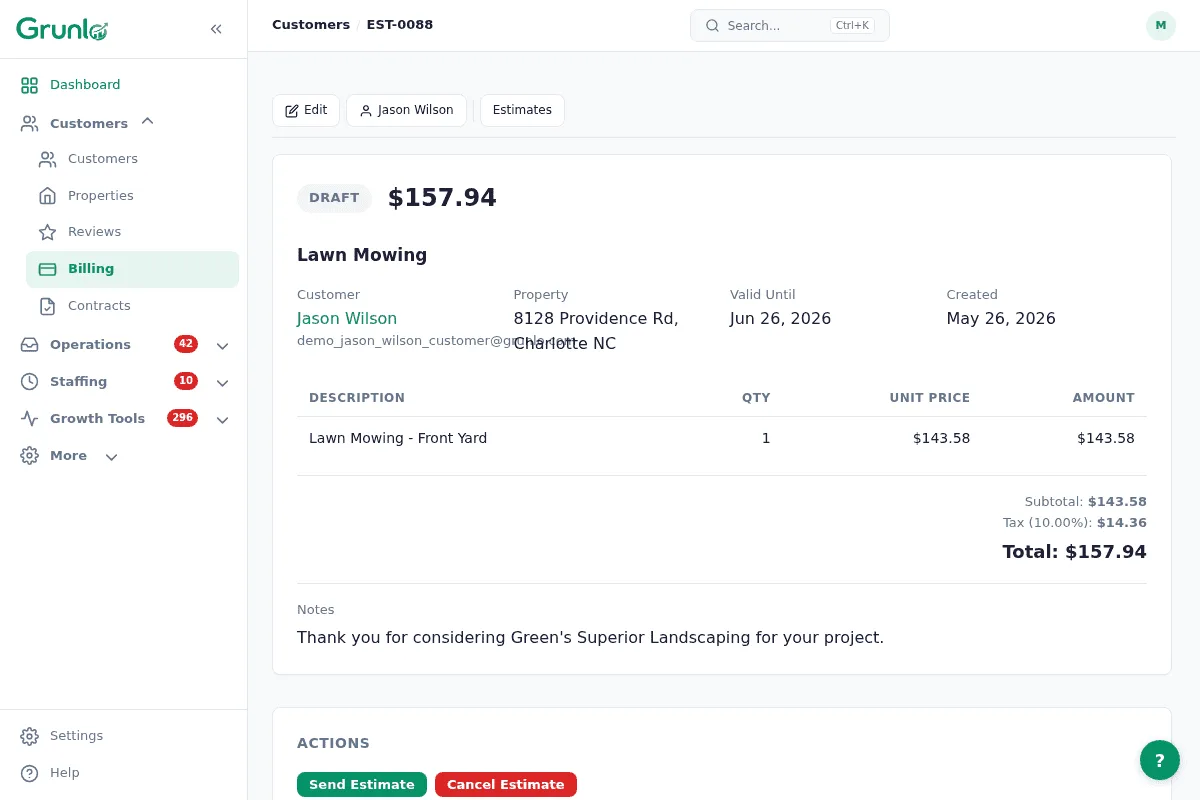
Fewer “what happens next?” calls.
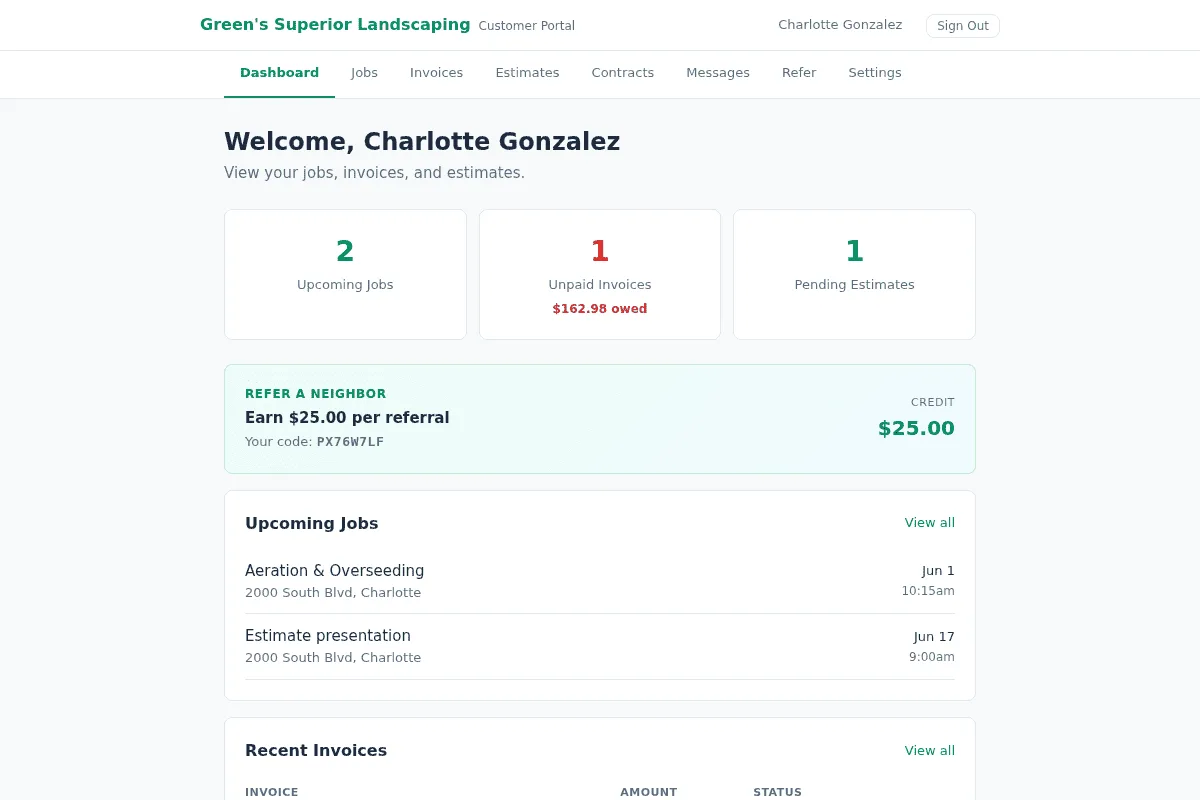
The customer portal shows invoices and estimates. SMS and the shared inbox keep day-of communication out of personal text threads.
- Invoices and payment links in one place for the homeowner
- Photos your crew attaches to the job for as-built proof
- Missed-call text-back so leads don't vanish while you're on the job site
Most hardscape operators land on Pro.
Tiered quotes, route tools, SMS, and portal features are the usual reasons teams move past Starter.
Hardscape questions, plain answers.
Everything you need to know before getting started.
Big jobs deserve a tool that respects them.
Most teams are live the same week: customers, properties, and a template estimate you can copy forward.
No credit card required · Free import from CSV or another tool