Grunlo vs. Jobber: an honest comparison.
Jobber is well-established software used by thousands of service businesses. Here's what's actually different — including the places Jobber wins.
No credit card required · Keep your Jobber account active during your trial
Who is each one really for?
If you only read one section, read this one.
You might prefer Grunlo if…
- You want a missed-call text-back, an inbox, and SMS marketing without paying for a separate "Communications" add-on.
- You want solver-based route optimization on $129 / mo (Pro, Up to 25 users), not Jobber’s $199/mo Connect tier — with more included staff seats on comparable mid tiers.
- You'd rather export to CSV from your settings page than file a "data ownership" support ticket.
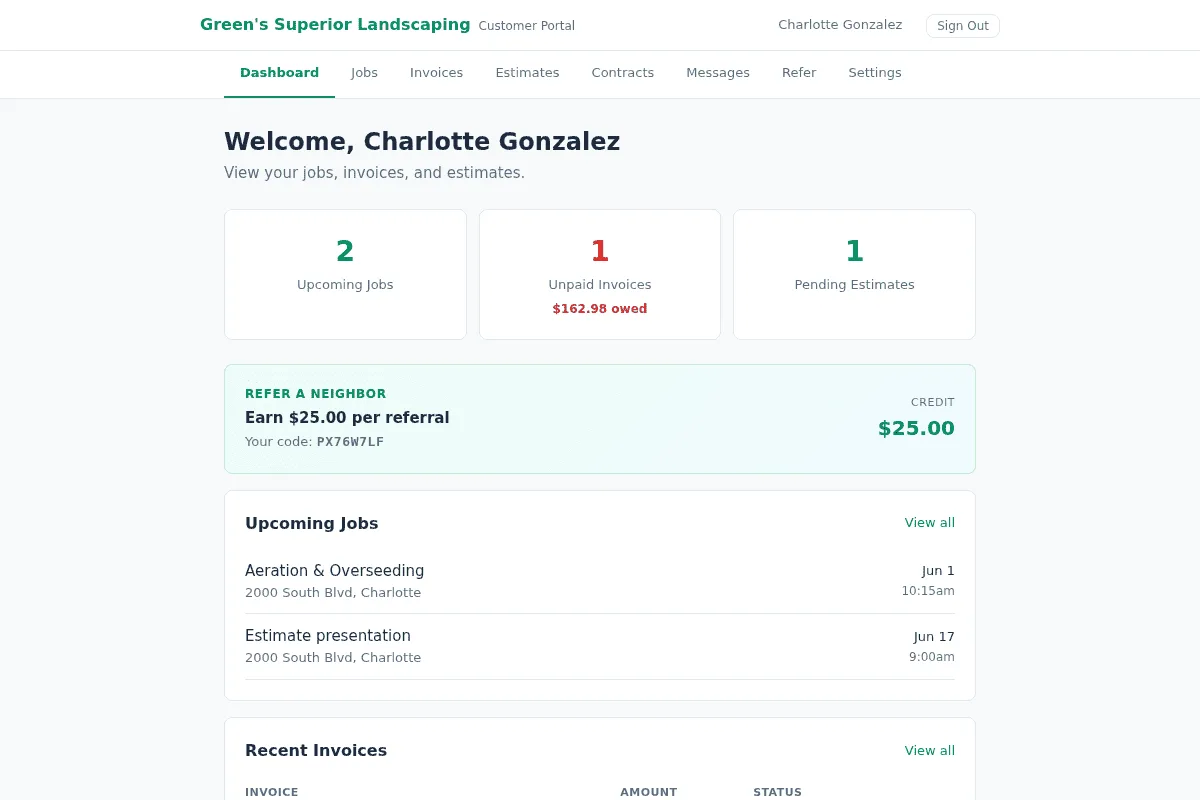
- You want a customer portal that handles approvals, payments, photos, and a referral program out of the box.
- You're on a 1- to 10-truck crew and you want monthly billing without a "talk to sales" gate.
You might prefer Jobber if…
- You depend on a niche third-party integration that only Jobber supports today (their app marketplace is bigger).
- You've been on Jobber long enough that switching costs — team retraining, custom workflows — outweigh the savings.
- You need a phone-call onboarding specialist included with the entry plan.
- You want a more mature franchise/multi-location feature set.
Feature-by-feature, no fluff.
We pulled these from Jobber's public pricing and feature pages. Where we say a competitor wins, they win.
| Feature | Grunlo | Jobber |
|---|---|---|
| Pricing & contract | ||
|
Starting plan (monthly billing)
Month-to-month price for the entry tier on each platform.
|
$59 / mo (Starter, Up to 5 users) | $49 / mo (Core, 1 user) jobber.com/pricing |
|
Mid-tier plan (monthly billing)
Typical “dispatch + routes + QBO” tier: Jobber Connect includes QBO; Grunlo QuickBooks is Business+ (see Money section).
|
$129 / mo (Pro, Up to 25 users) | $199 / mo (Connect, 5 users) jobber.com/pricing |
|
Top-tier plan (monthly billing)
High-end tier with advanced reporting and automation.
|
$249 / mo (Business, Up to 150 users) | $399 / mo (Grow, 10 users) jobber.com/pricing |
|
Staff users included
Included seats on default paid tiers (add-ons may apply).
|
Up to 5 users · Up to 25 users · Up to 150 users | 1 (Core) · 5 (Connect) · 10 (Grow) jobber.com/pricing |
| Annual contract required? | No, monthly | No, monthly |
| Cancel from settings page (no call required) | ||
| Customer communications | ||
|
Missed-call text-back
Auto-SMS the caller from your business number when you miss the call.
|
Business+ | jobber.com/features |
| Two-way SMS inbox (shared with team) | Pro+ | Grow+ |
|
SMS marketing campaigns (included)
Jobber's email/SMS campaigns are a $79/mo Marketing Suite add-on (bundled on Plus at $699/mo).
|
$79/mo add-on jobber.com/pricing | |
|
Dedicated business phone number
10DLC-registered for compliant marketing SMS.
|
Pro+ | Connect+ |
| Voicemail transcription | Business+ | |
| Field & dispatch | ||
|
Route optimization (multi-stop)
Solver-based reordering of today's stops for shorter drive time.
|
Pro+ | Connect ($199/mo) jobber.com/features |
| Live GPS field tracking | Pro+ | |
|
Field tech mobile app (no install)
Works in the browser, no app store install or per-seat charge.
|
||
| Photos before/after on every visit | ||
| Time clock with overtime & approval | ||
|
Weather-aware rescheduling
Outdoor-service-specific; rain pushes mowing forward automatically.
|
||
| Customer-facing | ||
| Customer portal (jobs, invoices, photos, payments) | ||
| Online estimate approval (with signature) | ||
|
Customer-facing landing page on your subdomain
A bookable mini-site for your business with photos, services, and a request form.
|
||
| Recurring jobs & visit calendars | ||
|
Built-in customer referral program
Jobber's referral program is part of the $79/mo Marketing Suite add-on.
|
$79/mo add-on jobber.com/pricing | |
| Money | ||
| Online card payments (Stripe-secured) | ||
| Auto-invoicing on job completion | ||
| QuickBooks Online sync | Business+ | Connect+ jobber.com/pricing |
|
Stripe Tax (auto sales tax)
Optional jurisdiction-aware tax via Stripe Tax where enabled.
|
||
| Tiered estimates (good/better/best) | ||
| Data & trust | ||
|
Export data to CSV from settings
Customers, jobs, invoices, and more.
|
||
|
Small team support
We are a small product company; complex issues can reach the engineers who build the software.
|
||
| Public app marketplace / large integration list | ||
All prices shown at month-to-month billing rates · Grunlo prices match our homepage and are read live from this site’s plan catalog · Sources cited above · Last verified May 2026. Spot something out of date? Tell us and we'll correct it.
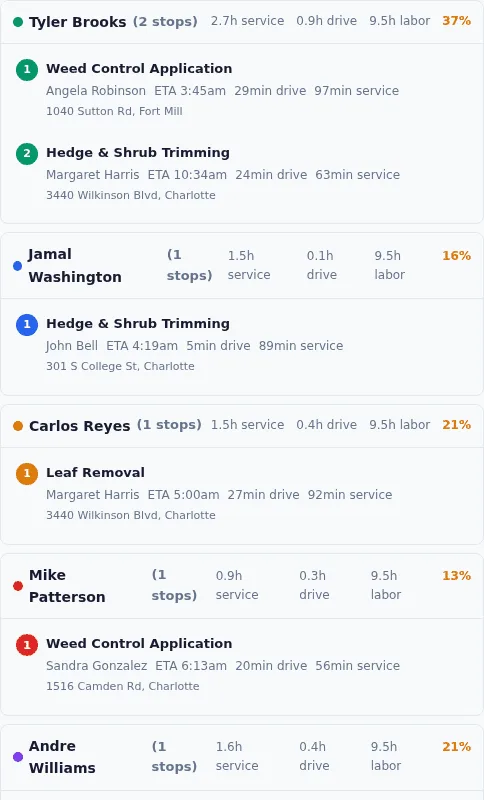
Route optimization is included earlier.
Grunlo Pro ($129/mo, Up to 25 users) includes daily solver-based route optimization. Jobber Connect ($199/mo for 5 users) is the tier that unlocks it on their side — compare that to our mid-tier pricing and included seats. For a crew running optimized routes every day, the gap compounds.
- Generate the optimized route for tomorrow at end-of-day, every day
- Manually move stops; the route re-optimizes around your fixed appointments
- Drag-drop reschedule with travel-time recalculation in real time
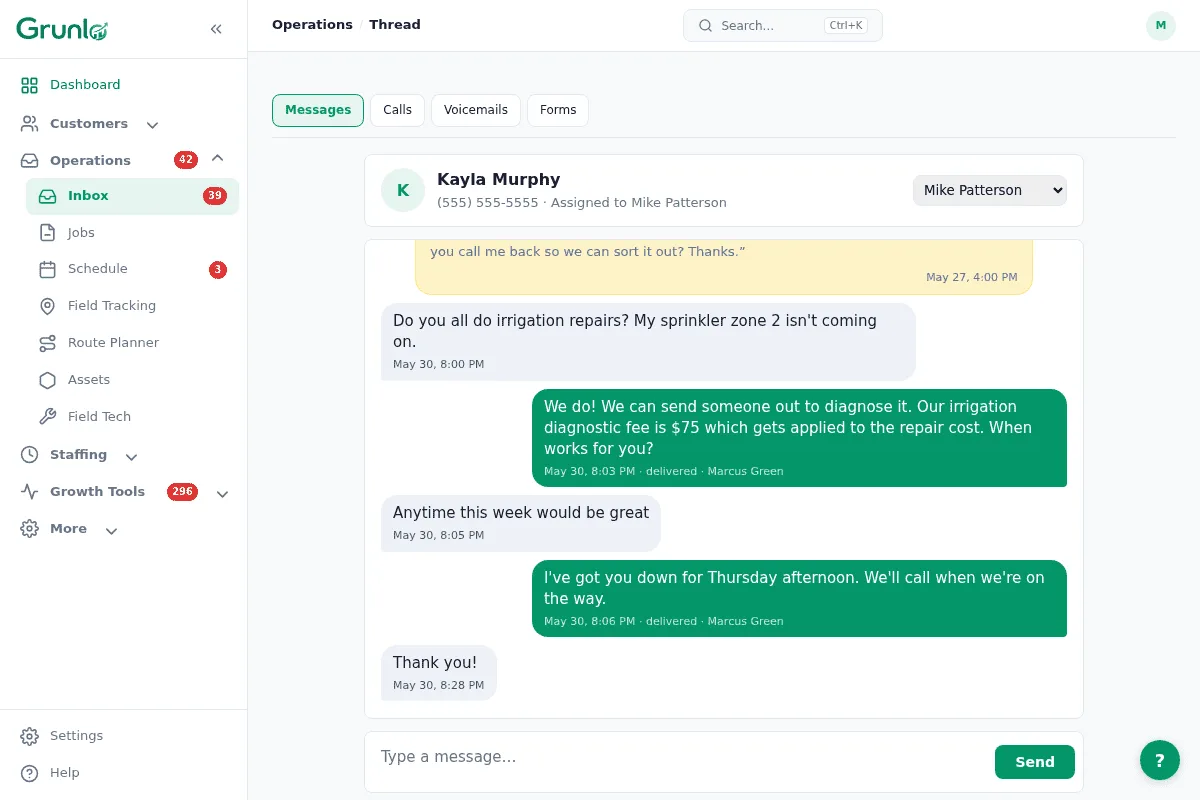
Communications are part of the platform — not an add-on.
The shared inbox, missed-call text-back, customer SMS, voicemail transcription, and SMS marketing are all in the box. You don't need to layer a separate phone-system or texting tool on top — and you don't pay separately for it.
- Two-way SMS, voice, and form submissions in one shared inbox
- Missed-call text-back fires automatically shortly after a missed call
- Send a recurring-customer reactivation campaign without a third tool
You own your data and you can leave whenever you want.
No retention call. No "schedule a chat" gate. Cancel from your settings page in two clicks; export your customer list, jobs, invoices, and photos to CSV at any time. We treat the door out the same way we treat the door in.
- Export customers, jobs, invoices to CSV from Settings in seconds
- Soft-delete with a 30-day grace period — deleted records are recoverable
- No "data egress fees" or per-record export charges
Already on Jobber? Switching is easier than you think.
We import your customers, jobs, recurring schedules, and invoices for free. Run both accounts in parallel for two weeks — cancel Jobber only when you're ready. See the full switch process →
What people ask before they switch.
Everything you need to know before getting started.
Try Grunlo alongside your Jobber account.
Run both for two weeks. If we're not the better fit for your business, you'll know by the end. Your Jobber account stays active — you cancel only when you decide.
No credit card required · Free import from Jobber · Cancel Jobber on your own timeline