Know where every truck actually is.
See where each crew is, when they arrived, and when they left — without making your team feel watched. Tracks on the clock only.
Field service businesses lose an avg of 4 hours/week to "where's the crew?" calls
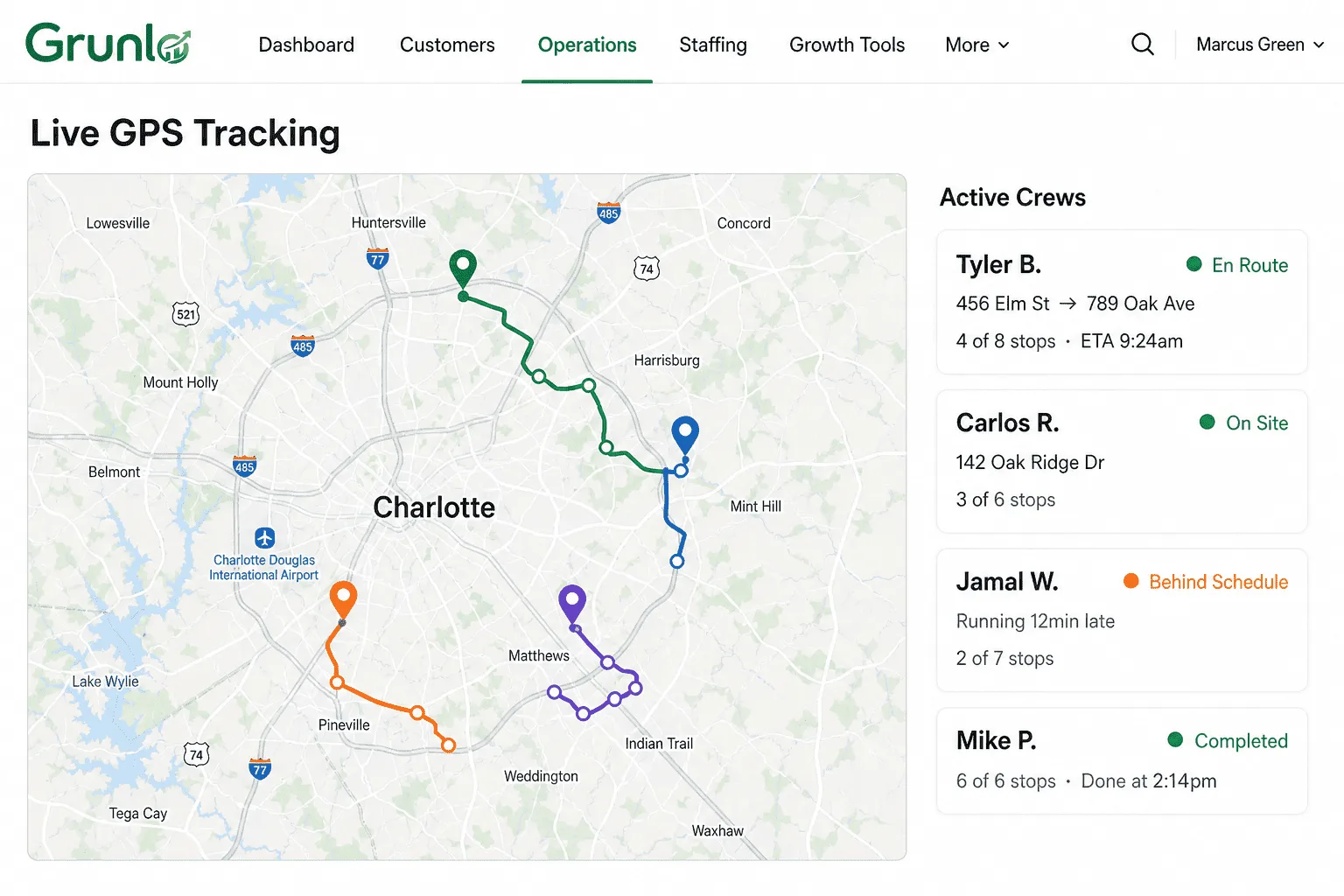
"Where's the crew?" shouldn't be a full-time job.
Customers call asking if you're coming.
Without visibility, you're guessing. "30 minutes" turns into 90 and the customer loses trust.
Time-on-job disputes.
The job took 2 hours. The timesheet says 4. Without timestamps, there's no objective way to reconcile.
Routes drift quietly.
The optimizer said 1-2-3-4. The crew did 1-2-4-3. Without seeing the actual path, you can't improve tomorrow's route.
Privacy-first tracking that turns itself off.
Clock in. Tracking turns on.
Location collection starts only after a crew member clocks in. A clear indicator shows them it's active. Off-the-clock = no tracking.
Live map for you. Time stamps on every job.
See all trucks on a live map. Each job auto-stamps arrival and departure. Customers see an ETA, never a live pin.
Clock out. Tracking stops.
Personal time is personal. The moment they clock out, tracking stops. No after-hours data collected or stored.
No credit card required · 14-day free trial
Tracking that respects the people doing the work.
GPS can feel like surveillance. We built it to feel like teamwork: clear on/off state, visible indicator, crew can review their own data.
- On-the-clock only — starts at clock-in, stops at clock-out, no exceptions
- Visible indicator — crew always sees when tracking is active
- Customers see ETA, not a live pin — privacy for your crew
- Auto time stamps — arrival and departure detected automatically
- Configurable retention — raw GPS history deleted after 30/60/90 days at your choice
- Crew sees their own data — full transparency, no hidden surveillance
GPS tracking powers these features.
Route optimization
Compare optimized routes to actual paths. Spot real-world friction and tune tomorrow's routes.
See route optimization →Field tech app
Where GPS is captured. Browser-based, no install required. Tracking is visible and opt-in.
See field tech app →Recurring jobs
GPS timestamps on recurring visits give you real data on how long each property actually takes.
See recurring jobs →GPS questions, plain answers.
Everything you need to know before getting started.
Stop guessing. Start knowing.
5 minutes to set up. Your crew sees the indicator the next time they clock in.
No credit card required · 14-day free trial