Set the cadence once.
Define the schedule per customer. Visits generate automatically — routed, invoiced on completion, and skippable when needed.
The average recurring customer is worth 8–12x a one-time job
Recurring schedules quietly fall apart.
Customers silently disappear.
A recurrence was set wrong six months ago. They drop off the schedule. Nobody notices until they call asking why no one came.
Rebuilding the calendar is a Sunday chore.
Hand-copying a recurring schedule into next week's calendar adds zero value and maximum tedium.
"Skip this week" breaks everything.
Customer asks to skip. You forget to mark it. Crew shows up. Or you mark it and the next visit date is wrong.
Set up once. Runs forever. Edits without breaking.
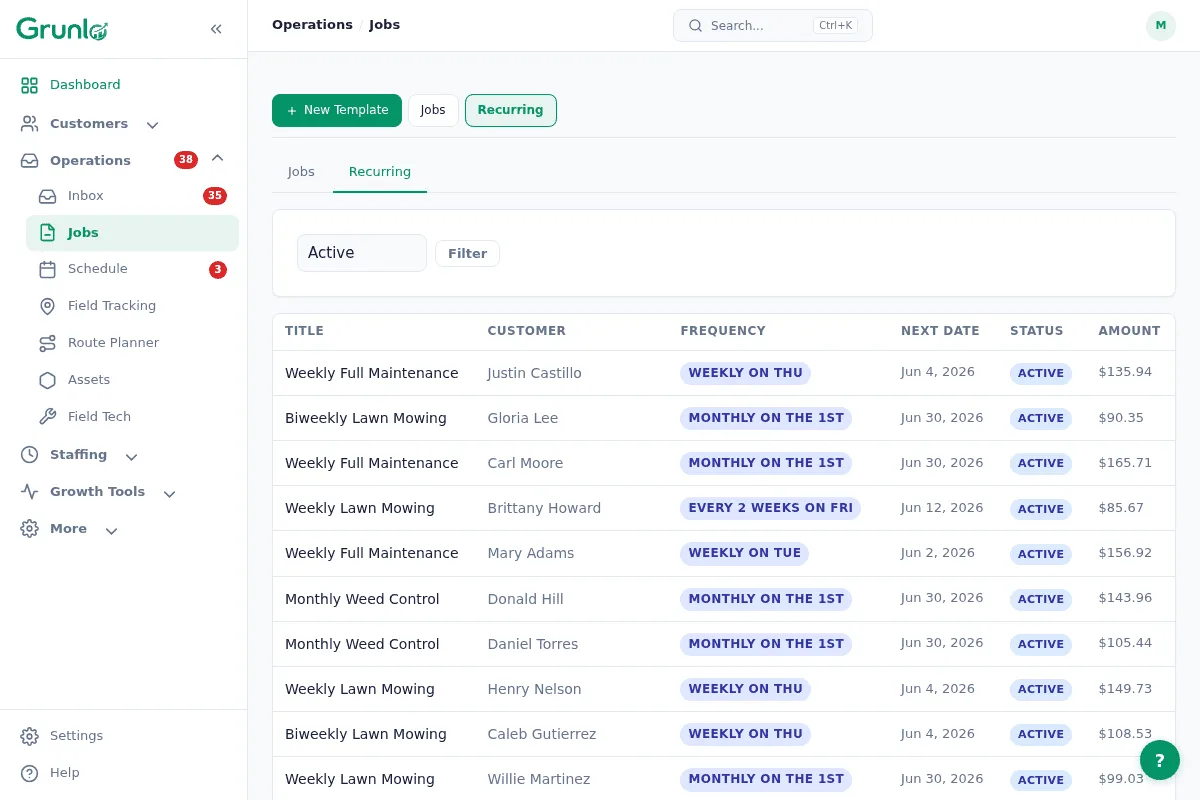
Define the recurrence.
Weekly, biweekly, monthly, or custom. Pick the service, price, and duration. Grunlo generates the next 90 days of visits automatically.
Skip, pause, or edit — safely.
Skip a single visit with one click. Pause for winter. Bump price for next year. Edits never cascade unpredictably.
Visits flow through routing and invoicing.
Each generated visit routes automatically, gets assigned to a crew, and triggers an invoice on completion. Recurring revenue without weekly office work.
No credit card required · 14-day free trial
Real-world recurrences, not just "weekly."
Customers want to pause for the season, skip a week, shift days, or run every-10-days. Grunlo handles all of it without breaking the cadence.
- Any cadence — weekly, biweekly, monthly, every-N-days, or custom patterns
- Skip this week — one click, next-visit date stays correct
- Pause for winter — auto-resume on a set date; no accidental winter visits
- Weather-aware — rain/snow rescheduling for outdoor services
- Per-recurrence pricing — bump prices for next year without rewriting active visits
- Service substitutions — weekly mowing in summer becomes biweekly leaf cleanup in fall
Recurring jobs are the engine. These make it hum.
Service contracts
Wrap a recurring schedule in a signed agreement with deposits, billing terms, and auto-renewal built in.
See service contracts →Auto-invoicing
Each completed visit triggers an invoice automatically. Recurring service, recurring revenue, zero manual billing.
See auto-invoicing →Customer portal
Customers see their upcoming visits, past work, and invoices — fewer "when are you coming?" calls.
See customer portal →Recurring-job questions, plain answers.
Everything you need to know before getting started.
Set up your recurring revenue once. Watch it run.
About 60 seconds per customer. After that, visits, invoices, and reminders all run themselves.
No credit card required · 14-day free trial