Lock in recurring revenue with signed agreements.
Build a contract, send it for e-signature, collect a deposit, and let Grunlo generate the jobs and invoices automatically.
Contracts that schedule, bill, and renew themselves
Handshake deals leave money on the table.
Contracts live in email threads and filing cabinets.
You wrote the agreement in a Word doc, emailed it, and hoped the customer printed, signed, and scanned it back. Half the time they didn't.
No deposit means no commitment.
You block out the schedule, buy materials, and show up — only to find out the customer changed their mind. No deposit, no leverage.
Billing and scheduling are disconnected.
The contract says monthly billing. The schedule says biweekly visits. Reconciling the two is a manual chore every invoicing cycle.
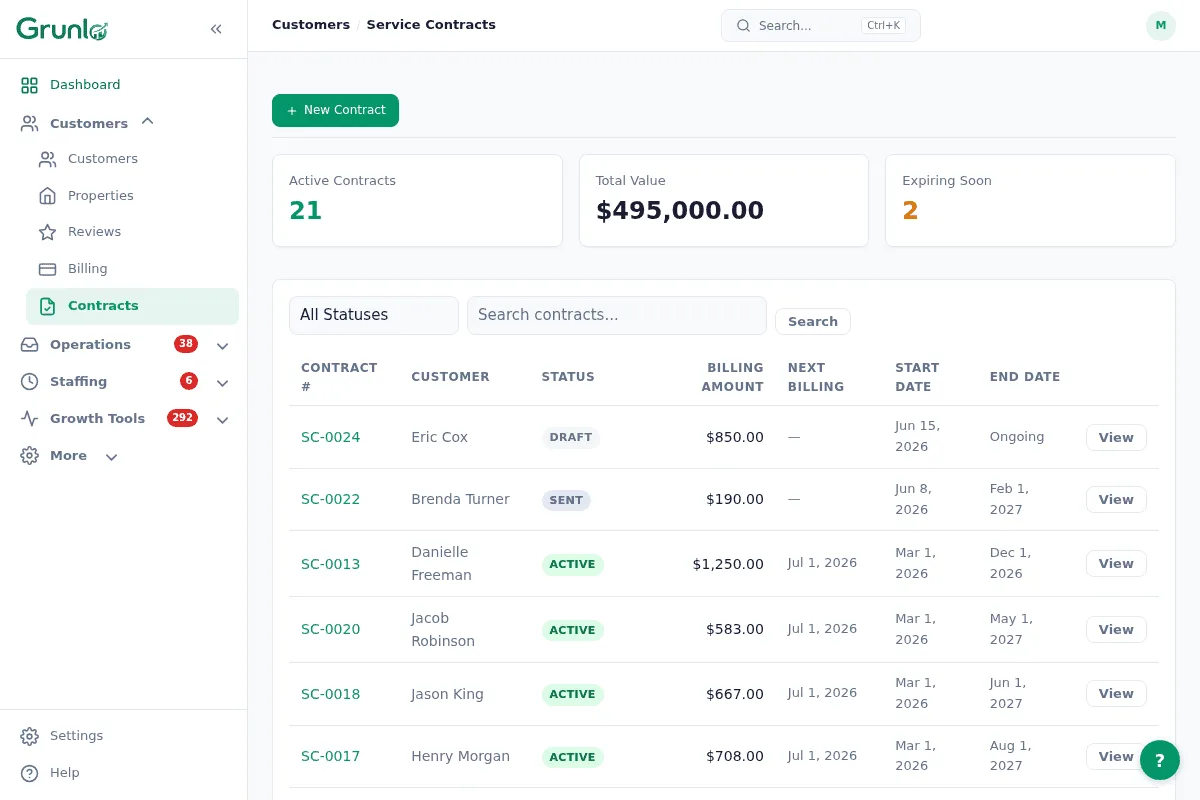
Build it, send it, forget it. The contract runs itself.
Build the contract.
Pick the customer and properties. Add services, set the visit cadence, choose a billing frequency, and write your terms. Save it as a template for next time.
Send for e-signature.
The customer gets an email with a link to their portal. They review the terms, type their name to sign, and pay a deposit if you require one — all from their phone.
Jobs and invoices run automatically.
Once signed and deposited, the contract activates. Jobs generate on the agreed schedule, invoices fire on the billing cadence, and renewals happen without a phone call.
No credit card required · 14-day free trial
Every lever a recurring agreement needs.
Contracts in Grunlo are more than a PDF. They drive the schedule, the billing, and the customer relationship — with guardrails so nothing breaks when life happens.
- Any cadence — weekly, biweekly, monthly, or custom intervals
- Pause & resume — suspend for the off-season; no accidental visits or charges
- Price escalation — automatic annual increases, fixed or percentage
- Auto-renewal — contracts roll over on expiry unless cancelled
- Deposits — require a fixed amount or percentage before activation
- AI review — automated feedback on missing clauses, pricing, and risk
- PDF export — download a professional copy for offline sharing or records
Contracts tie the whole system together.
Recurring jobs
Recurring jobs power the visit cadence. Contracts add the signed agreement, deposit, and billing schedule on top.
See recurring jobs →Auto-invoicing
Contract billing generates invoices on the schedule you set. Customers pay from their portal — no manual steps.
See auto-invoicing →Customer portal
Customers review, sign, and track contracts from their portal. No email attachments or PDFs to chase.
See customer portal →Service-contract questions, plain answers.
Everything you need to know before getting started.
Lock in recurring revenue with signed contracts.
Build a contract in minutes. The customer signs from their phone. Jobs and invoices take it from there.
No credit card required · 14-day free trial